Bench Notes › Articles › Repair
Article · 2 min readThe Buzz You Hear Might Not Be Coming From the Microphone.
By Thomas Popp · Oct 7, 2026

Hum and buzz send people down the wrong path faster than almost any other symptom. The instinct is to blame the microphone, swap it, and when the noise is still there, swap the mixer, the cable, the power strip everything except the actual cause. The microphone is almost never the source. The noise lives somewhere in the chain around it: the cable, the grounding, or the power.
Start with the cheapest test
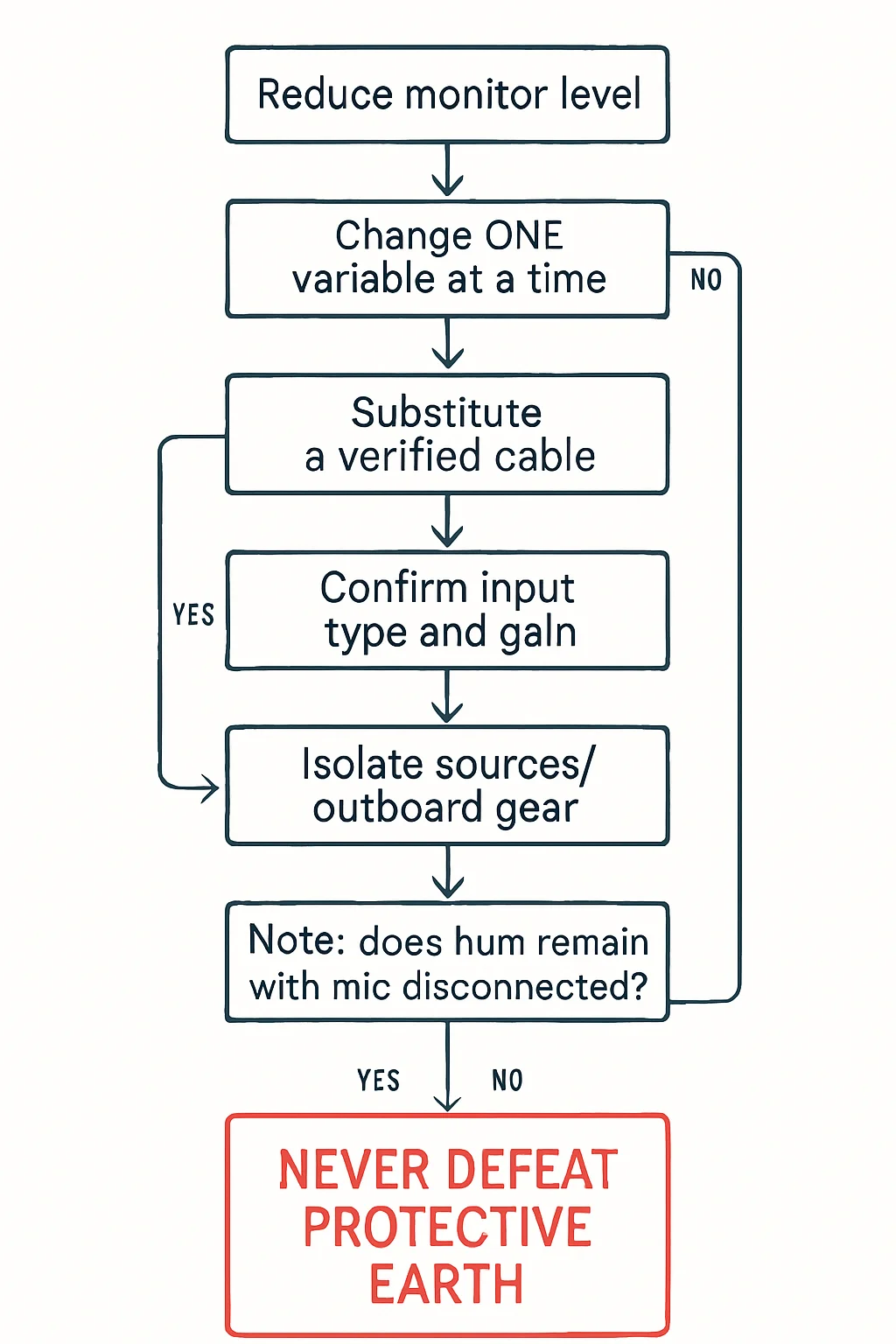
Substitute a known-good cable first. A surprising number of hum problems are a flaky shield or a dirty XLR pin, and one cable swap proves or rules out the entire interconnect in about thirty seconds. It is the single highest-value move in the whole sequence, because if the hum disappears you are done, and if it survives you have eliminated a huge variable with almost no effort.
If the hum is still there, separate the signal chain. Pull components out one at a time - outboard gear, tie lines, a second device on a shared feed - until the hum disappears. Ground loops form between grounded devices, and the last thing you remove before silence is your culprit. This is methodical, unglamorous work, and it beats guessing every time.
Inspect the connections
Then look closely at the connectors themselves. In XLR wiring, pin 1 is the shield and ground path (pin 2 hot, pin 3 cold), and a corroded, loose, or missing pin 1 is a classic buzz generator. Clean it, tighten it, re-terminate it if you must. The fix belongs at the connection, not somewhere downstream.
One diagnostic clue is worth memorizing: hum that changes when you touch the equipment is a grounding story, not an audio story. Your body is completing a path that the gear's own grounding should be handling which points straight at shields, pin 1 continuity, and chassis bonding. When the noise reacts to your hand, the grounding is talking to you.
The three usual suspects, in order
Most hum you will ever meet falls into three buckets, ranked by how often they show up: cable and shield faults first, then ground loops between devices, then failing power supplies. Working them in that order - swap the cable, isolate the chain, inspect and repair the connections - means you check the most likely cause first and the least likely last, instead of chasing the exotic explanation while a dirty pin sits in plain sight.
Safety: the line you never cross
SAFETY: Never defeat protective grounding to fix hum. Do not cut the ground pin off a power plug, do not permanently lift a chassis ground, and do not use a ground-lift adapter as the "fix" that ships with the job. Protective earth is a life-safety system, not a noise-reduction feature - removing it trades a buzz for a shock hazard. Fix the loop properly: repair the shield, isolate at the signal level, or move the offending device to a properly grounded supply.
Bench takeaway: isolate, don't guess - and solve hum at the connection, never at the ground.
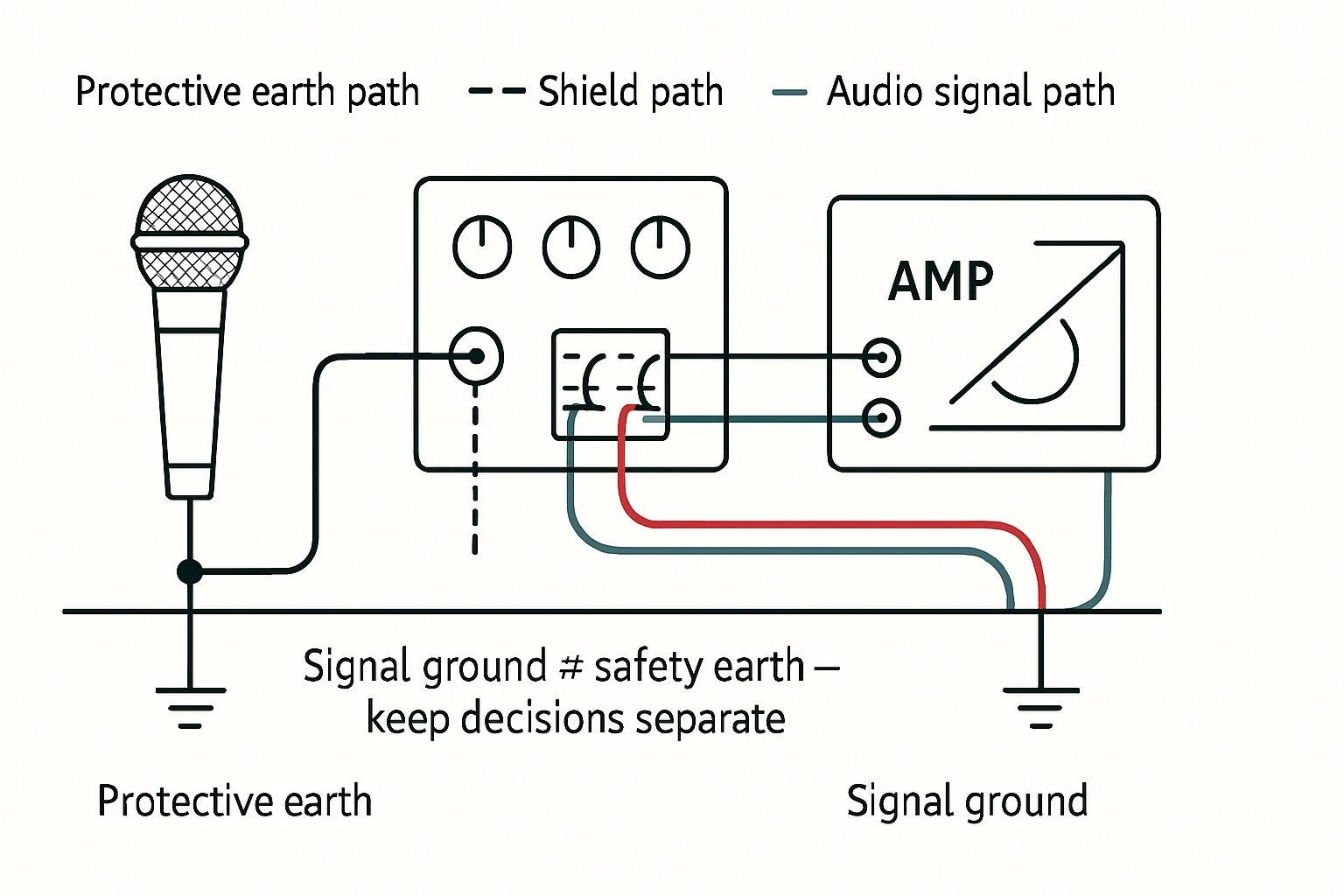
Pinout reference
| Pin | Carries |
|---|---|
| 1 | Shield / chassis reference |
| 2 | Hot (+), non-inverting |
| 3 | Cold (−), inverting |
Related
Why Your Connector Keeps Coming Loose · One Channel Is Dead. Don't Replace Everything Yet. · Course: Build a basic XLR cable